
Package Management
Every delivery logged. Every resident notified.
Online orders, pharmacy refills, holiday gifts: the front desk has quietly become a mailroom.
Accushield Package Management fixes that. Scan the label, notify the resident, and track every package until it's picked up.
Your Front Desk Wasn't Built to Be a Mailroom
In independent living and larger assisted living communities, deliveries arrive all day. Without a system, that volume lands on the same people who are greeting families, checking in visitors, and answering the phone.
Boxes Pile Up
Deliveries stack behind the desk with no easy way to tell residents they arrived.
Paper Logs and Phone Calls
The concierge juggles clipboards, sticky notes, and "did anything come for me?" calls.
No Record of the Handoff
When a package goes missing, nobody can say who picked it up or when.
From Loading Dock to Resident in Four Taps
Package Management lives in the Accushield mobile app and in the Accushield dashboard under Connect.
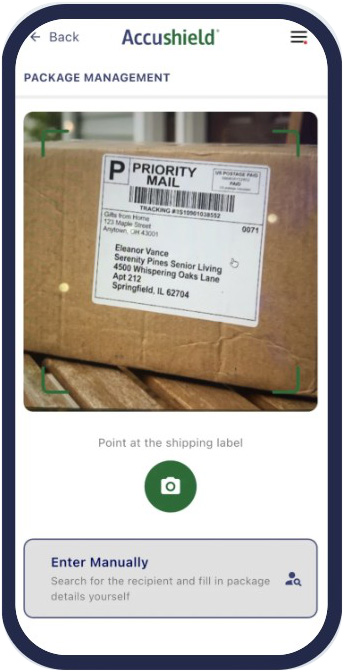
Scan the Label
The phone camera reads the name and matches your resident and staff directory.
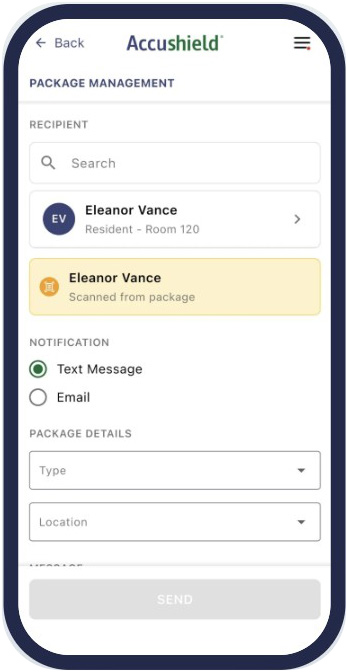
Add the Details
Choose the package type and where it can be picked up.
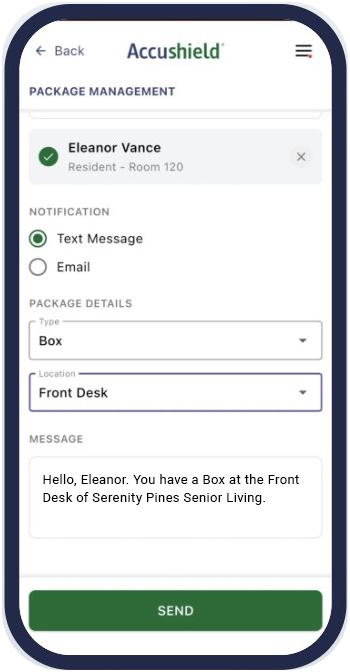
Notify Instantly
A ready-made text or email goes out with one tap.
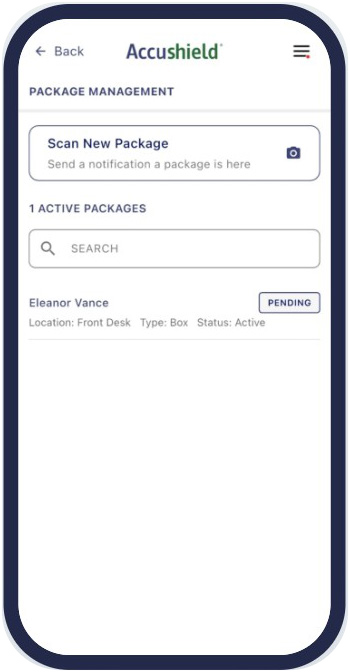
Mark It Collected
Tap Pending, confirm, and the handoff is on record.
See Package Management in Action
Watch the walkthrough, then book a demo.
A Calmer Front Desk, Even in Peak Delivery Season
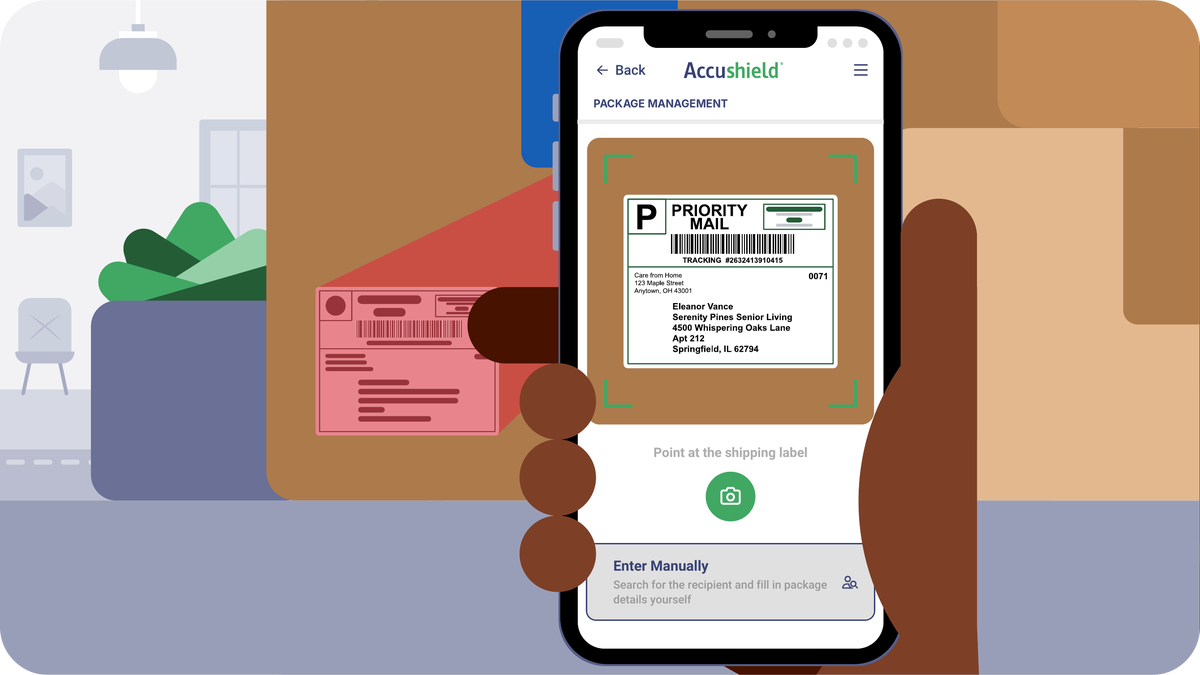
Easy Scan with Your Mobile Camera
Point the camera at a shipping label. The app reads the name, finds the resident or staff member, and fills in the log. Damaged label? Just type it in.
Automatically Notify Residents
A text or email tells them what arrived and exactly where to pick it up. Use the built-in message or add a personal note.
A Record of Every Handoff
The package log shows what is still pending at a glance. Export the package report to see who marked each one collected, and when.
The Front Desk Goes Mobile
Log deliveries from the mailroom, lobby, or loading dock on a smartphone, or from the Accushield dashboard you already use.
Built for Communities Where Deliveries Never Stop
Independent Living
Active residents who shop online and expect to hear the moment their order arrives.
Larger Assisted Living
High resident counts, busy front desks, and family members shipping care packages and supplies.
Life Plan Communities
Multiple buildings and pickup points, all tracked in one package log.
Package Management FAQ
Do residents need to download an app?
No. Residents receive a text message or email (or both when sent from the dashboard). They just need a cell phone number or email address in their Accushield profile with messaging turned on.
What does my team need to get started?
A staff account in your Accushield dashboard with a mobile phone number and the Community Admin role, plus the Accushield Mobile app. In the app, tap Package Management, then Scan New Package, and allow camera access.
What if a label is damaged or the name doesn't match?
Tap Enter Manually and type in the barcode number. If the app doesn't find the right person, tap their name or search for them.
Can staff members receive package notifications too?
Yes. Staff who are opted in to Connect messages appear as recipients alongside residents.
Can we use it without the mobile app?
Yes. Package Management is also available in the Accushield dashboard under Connect, where your team can add packages, send notifications, mark pickups, and export the package report.
Get Your Front Desk Ready Before the Next Delivery Rush
See Package Management with your own workflow in mind. Already an Accushield customer? Ask us for a quick walkthrough.
- A walkthrough of scanning, notifications, and the package log
- How it fits with your visitor management and dashboard
- Next steps for rolling it out to your front desk team

How Many Communities Are You Exploring Accushield For?
Are You a Current Accushield Customer?